
AI social media post generator
AI Social Media Post Generator for Pin Drops
Turn pin launch ideas into social post visuals, badge promo cards, caption-ready stills, and short campaign assets with AIPinMaker.
AI social media post generator
ai social media post generator free
free ai social media post generator
best ai social media post generator
ai generated social media posts
AI post generator
AI Instagram post generator
Start from this search
How to use AI social media post generator
Turn ai social media post generator research into a reviewed creative brief, choose the right model route, and keep the generation path attached to your project before spending credits.
Create a pin drop campaign still or badge launch post
Keep one pin identity consistent across several social formats
Compare AI post tools before choosing a paid creative workflow
Review whether AI-generated social media posts feel brand-matched
AI social media post generator workflow steps
-
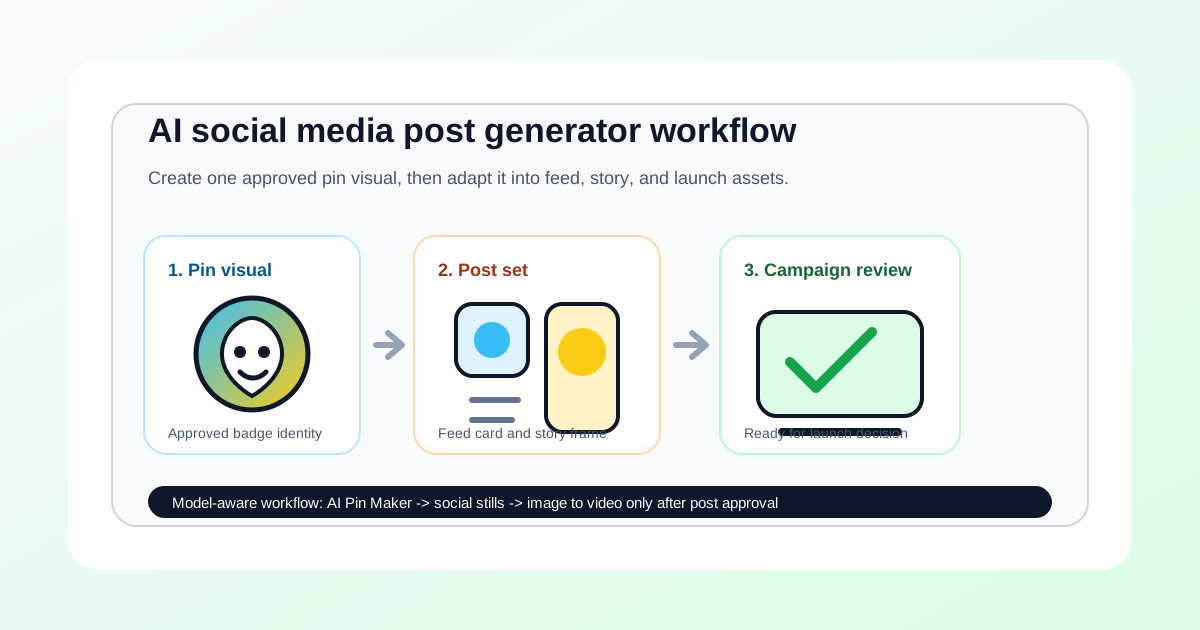
1. Define the pin design, platform format, launch cue, and CTA before generation
-
2. Create a still social post frame with the badge or enamel pin as the hero object
-
3. Review product identity, text clarity, rights, and platform-fit claims
-
4. Adapt the approved frame into feed, story, teaser, or preorder variants
-
5. Test image-to-video only after the still social post has passed review
Lay out the pin concept from this workflow in the AI Pin Maker studio — try it free, no account needed.
One concept, three aspect ratios
A post concept only earns its production cost when it works across placements: 1:1 for feeds, 9:16 for stories, 16:9 for link cards. Generate the master visual on AI Pin Maker with the subject centered and margins generous, then derive the three crops from the same approved frame — re-generating per ratio breaks visual consistency and triples review time. An approved still can also become a motion post through image to video.
Common questions
Can I use an AI social media post generator for pin drops?
Yes. Use it to create still campaign frames, launch cards, story visuals, and preorder assets, then review whether the pin identity remains clear.
Is AIPinMaker a social media scheduler?
No. AIPinMaker supports the visual generation and review workflow before publishing. Use a separate publishing tool if you need scheduling, comments, inboxes, or channel analytics.
Should I create video posts first?
No. Approve the still social post first. Use image to video only when the source frame is accurate enough for a short reveal, teaser, or ad variant.