
app icon generator
App Icon Generator for Pin Badges
Turn app icon ideas into badge-ready marks, backing-card frames, product stills, and reviewed launch visuals.
app icon generator
ai app icon generator
ios app icon generator
app icon maker
icon maker online
make icon
app icon design
pin badge icon
app launch badge
Start from this search
How to use app icon generator
Turn app icon generator research into a reviewed creative brief, choose the right model route, and keep the generation path attached to your project before spending credits.
Turn an app icon idea into a pin, badge, or product mark
Review generated icons for generic AI styling, copied marks, and tiny-size readability
Build backing cards, product stills, or launch visuals around an approved icon
Move from app icon exploration into a paid AIPinMaker badge workflow
app icon generator workflow steps
-
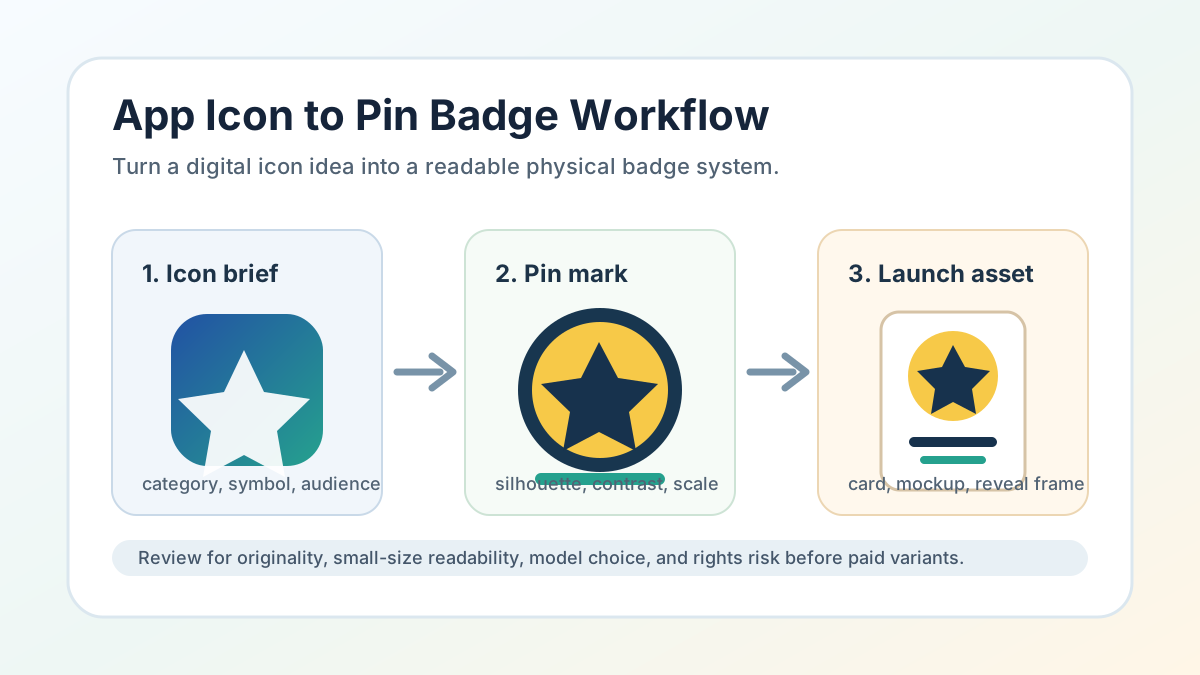
1. Define the app category, primary symbol, audience, color limit, and badge shape
-
2. Generate an original app icon direction and source still
-
3. Simplify the icon into a pin-readable mark with a clear silhouette
-
4. Build a backing card or product still that carries the larger app story
-
5. Move to image to video only after the still icon badge passes review
Lay out the pin concept from this workflow in the AI Pin Maker studio — try it free, no account needed.
Common questions
What is an app icon generator workflow for AIPinMaker?
It is a process for turning an app-style icon idea into a reviewed pin badge system: icon face, backing card, product still, launch card, or optional source frame.
Does AIPinMaker create official app-store assets?
No. AIPinMaker supports visual generation and badge concept planning. Use separate brand, trademark, platform, and app-store review processes before publishing official app assets.
How should I use public discussion about AI app icons?
Use it as market and design-risk evidence only. Do not copy third-party screenshots, product redesigns, public app marks, platform examples, or wording from specific posts.
Which AIPinMaker path should I start with?
Use AI Pin Maker when the icon should become a badge or enamel pin, text to image for app-icon boards and product stills, and image to video after the still icon frame is approved.