enamel pin mockup generator

Free Enamel Pin Mockup Generator: Upload Your Logo, Get a Photorealistic Pin

An AI enamel pin mockup generator built for indie artists, small shops, and designers. Logo-faithful, metal-line accurate, pledge-campaign ready, factory-handoff vector included.

enamel pin mockup generator enamel pin mockup generator enamel pin mockup generator free metal enamel pin mockup free enamel pin mockup psd ai pin generator ai enamel pin generator logo to enamel pin mockup custom enamel pin design mockup hard enamel pin mockup soft enamel pin mockup enamel pin preview generator enamel pin mockup for kickstarter enamel pin mockup pledge campaign character to enamel pin mockup logo to pin design free
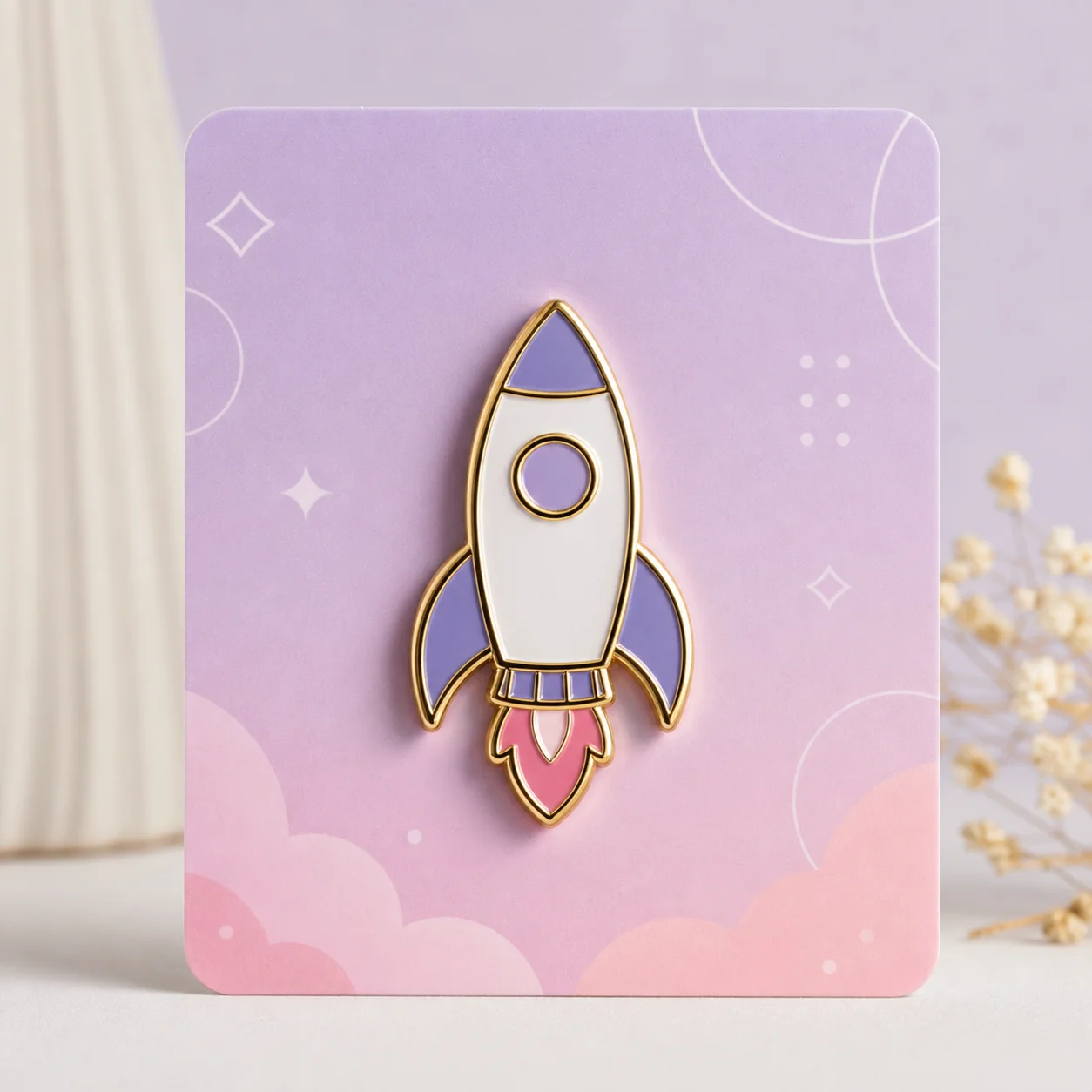
Free AI enamel pin mockup generator turning a logo into a photorealistic gold-plated pin
enamel pin mockup generator workflow preview
Start from this search

How to use enamel pin mockup generator

Turn enamel pin mockup generator research into a reviewed creative brief, choose the right model route, and keep the generation path attached to your project before spending credits.

Upload a logo or character drawing and get a photorealistic enamel pin mockup

Preview an enamel pin design with accurate metal dividing lines before committing to a factory order

Generate a pledge-campaign-ready mockup for a Kickstarter or Discord preorder

Produce a client-presentation mockup plus factory-ready vector SVG in one step

Compare hard enamel vs soft enamel and gold vs silver vs black nickel side by side

Convert a PNG or character drawing into the vector files an enamel pin manufacturer requires

enamel pin mockup generator workflow steps

  1. 1. Decide what you are making the mockup FOR (pledge campaign, client deck, Etsy listing, factory quote, personal preview) before you upload

  2. 2. Upload your logo, character, or original artwork as PNG, JPG, or SVG — clear shape boundaries and distinct color regions give the best results

  3. 3. Pick your pin format (hard enamel vs soft enamel vs die-cut vs button vs lapel) and plating (gold, silver, black nickel, rose gold, antique brass) — compare up to four side by side

  4. 4. Check the Metal Line Preview overlay before you fall in love with the mockup to confirm metal dividers land where you want them on the manufactured pin

  5. 5. Render display contexts for your use case — Campaign Context Pack (studio, denim, in-hand, display card) or Designer Deliverable Pack (studio, metal-line schematic, plating variations, size scale)

  6. 6. Download mockup PNG plus factory-ready vector SVG and send the SVG to your enamel pin supplier with a quote request — your uploaded design is deleted within 24 hours

Try this in aipinmaker.com →

Free Enamel Pin Mockup Generator: Upload Your Logo, Get a Photorealistic Pin

You have a logo. You have a character drawing. You have a brand mark you've been doodling on the corner of every notebook for three years. And somewhere between you and a finished enamel pin you can actually hold sits a $500 minimum order quantity and a factory that needs vector files in formats you don't own software for.

Most "AI pin generators" you've tried produce a kind of generic glossy disc that looks vaguely like enamel but doesn't look like *your* design at all. The ones that do preserve your design tend to be Photoshop PSD templates that assume you already know Photoshop. The actual gap — an AI tool that takes your real logo, renders it as a photorealistic enamel pin with the metal lines in the right places, and gives you both a pretty mockup *and* a factory-ready vector file — has stayed weirdly empty.

That's what this generator is for.

Upload your logo or character. Pick hard enamel or soft enamel. Pick gold, silver, or black nickel plating. Sixty seconds later you have a photorealistic pin mockup that's actually recognizable as your design, a metal line overlay showing exactly where the manufacturer will put the dividers, a context pack with the pin on a denim jacket and in a hand and on a display card for your Kickstarter page, and a vector SVG you send straight to the factory.

No signup to preview. Free credits cover the full first mockup, plating variations, and display contexts. Download requires email only, no card. Your uploaded artwork is deleted from our servers within 24 hours and is never used to train anything.

Why Most AI Pin Mockups Look Fake (and how we fixed the metal lines)

Here's the dirty secret about most AI pin generators — they don't understand pins. They understand "shiny round object with colors inside." That's why everything they produce looks like a sticker someone sprayed with clear coat.

Real enamel pins are a manufacturing process before they're a design. The factory builds a metal mold with raised divider walls. They pour colored enamel into the recessed cells between those walls. They polish the metal divider walls so they shine — gold, silver, black nickel, rose gold. The defining visual characteristic of a real enamel pin is not the colors. It's the metal lines between the colors.

Generic AI image tools generate raster pixels. They have no concept of "this region must be separated from that region by a polished metal wall that the factory needs to be able to mold." So they produce mockups where colors bleed into each other, where there's no clean divider, where the design *cannot physically be manufactured as an enamel pin*. You can't take their PNG to a factory. The factory takes one look and says "this isn't a pin design, this is a picture of a pin."

This is the technical bar we built against. Our generator analyzes the color regions in your uploaded design first. It identifies where one color ends and another begins. It places explicit metal divider lines between those regions in your chosen plating color. Then it renders the photorealistic mockup *on top of* that line structure, so what you see is what the factory can actually build.

Before you download, toggle the Metal Line Preview overlay. You'll see a wireframe view of every divider line — exactly where the gold or silver will be on the produced pin. If a line falls somewhere weird (cutting awkwardly through a face, missing a place your design implies a divider), regenerate before you commit. This single feature is why our mockups translate to real production runs that don't disappoint when the sample arrives.

It's also why our SVG output is factory-ready instead of factory-aspirational. The metal lines in the SVG aren't decorative — they're the actual mold geometry. Most enamel pin factories we've talked to confirm: give them this SVG and they can quote without a second round of "can you send the design in a different format?"

How to Turn Your Logo or Character Drawing into a Pin Mockup in 60 Seconds

The fastest path from "I have an idea" to "I have a mockup I can show people."

Step 1: Decide what the mockup is FOR

Before you even upload, name the destination. The same pin design wants different output depending on where it's going.

Pick the destination first. The tool offers a preset that tunes the render pipeline accordingly.

Step 2: Upload your logo, character, or artwork

PNG, JPG, or SVG. The cleanest version you have works best. A few practical notes.

Designs with clear shape boundaries and distinct color regions translate best — that's literally how enamel pins manufacture, so designs that already match that constraint render closest to reality. Hand-drawn characters work; quick sketches work but produce rougher results that often need a second pass.

If your design has very fine details — thin text under 6pt, intricate hatching, dense linework — expect those details to be visibly simplified in the mockup. That's not a bug in our renderer. That's a real-world manufacturing constraint. Enamel pins below 1mm detail get washed out in production no matter how good your art is. Better to find out at the mockup stage than after you've paid for a sample.

Step 3: Pick format and plating

Choose between hard enamel (polished glossy fills, flush surface, premium feel, slightly higher cost) and soft enamel (textured, recessed color areas with raised metal lines visible by touch, more affordable, the classic indie pin look). If you've never made a pin before, soft enamel is the standard starting point.

Then plating. Gold reads warm and premium. Silver reads clean and classic. Black nickel is edgy and dramatic, especially with dark designs. Rose gold is trendy and soft. Antique brass is vintage and tactile. Copper is rare and warm. The mockup re-renders for each — you can compare four side by side without using extra credits.

Most indie creators going to their first pin run pick soft enamel + gold or soft enamel + black nickel. Both photograph well, both are widely available across factories, both keep unit cost reasonable.

Step 4: Render display contexts

Once the base mockup looks right, click Campaign Context Pack or Designer Deliverable Pack depending on your destination from Step 1. The pack renders multiple variations and contexts in a single batch and zips them for download. Drop straight into Kickstarter, Discord, Etsy, a PowerPoint, or a factory email.

Step 5: Download PNG + SVG

You get both files. The PNG is the photorealistic mockup at 300 dpi, transparent background, ready for any campaign or deck. The SVG is the factory file with the metal lines as actual vector geometry. Send the SVG to your enamel pin supplier when you request a quote. Most factories turn around a quote in 24 to 48 hours from a clean SVG.

For Indie Artists: Pledge-Ready Mockups for Your Kickstarter or Discord Preorder

The hardest part of a pin pledge campaign is convincing 50 people to pre-pay before you've manufactured anything. As one indie creator put it bluntly: *"we need 50 units pledged for in order for the pin set to go into production."* No pledges, no production. No production, no pin. No pin, no creator credibility.

This is a chicken and egg problem that the right mockup solves.

A photo of "a sketch on paper" doesn't move pledgers. A photo of "a generic AI render that doesn't really look like the design" actively *hurts* — pledgers can tell something's off even when they can't articulate what. What moves pledgers is a mockup that looks like a real photographed pin sitting on a real denim jacket, with the actual design they recognize from your art, in the plating they would actually receive.

The Campaign Context Pack is built around this specific moment. It renders:

Drop those six images into your Kickstarter page in that order and you've answered the three questions every pledger silently asks: *Is this real? Does it look like the art I love? Will I actually get something I want to wear?*

We've also heard the opposite — creators who already started a pin project and got stuck mid-design. One artist put it this way about their own work: *"I'm not entirely sure about this enamel pin design — I need to work on character design more."* That's a perfectly healthy thing to feel, and the mockup tool helps with it. Generate ten variations across plating and format choices. See your character as a real pin in a hand before you commit to refining the source design. Sometimes seeing the mockup tells you what's wrong faster than three more weeks of iteration on the original art file.

For Designers: Client-Presentation Mockups + Vector Files for Factory Handoff

If you're a designer pitching pins to a client — whether that's a brand merch project, an event giveaway, a corporate gift, or an artist's portfolio piece — your deliverable bar is higher than "pretty render." You need a presentation deck that feels professional, a vector file the factory can actually use, and ideally a paper trail proving you considered production constraints from the start.

The Designer Deliverable Pack is built for that workflow.

It renders the studio shot at multiple plating options so you can give your client real choices in the meeting. It renders the metal-line schematic so the client (or their internal production lead) can see you've designed within the constraints of how enamel pins actually get made. It renders the pin at multiple sizes with a coin scale reference so nobody's surprised when they hold the first sample. It includes a clean SVG that opens in Illustrator and exports to .ai or .pdf in one click for the factory.

For agencies working in pitch mode, the batch rendering on paid plans lets you put multiple pin concepts through the same generator in parallel — present a sheet of six concepts to the client, let them pick two for refinement, generate the final deliverable for the winner. The whole loop is 30 minutes of design work instead of two days in Illustrator.

The vector quality matters here in a specific way most generators ignore. When you hand a factory a "vector" that's really a traced raster, they call you back to ask for a real file. When you hand them an SVG where the metal lines and color regions are clean geometric paths, they quote immediately. This generator outputs the latter — we treat the metal lines as first-class structural elements, not visual decoration.

Hard Enamel vs Soft Enamel Mockup: Pick Your Process Before You Order

If you've never made a pin before, the format choice confuses everyone. Both look like "enamel pins." The visible difference is subtle but matters for the mockup.

Soft enamel is the classic indie pin look. The colored areas are slightly recessed below the metal divider walls — you can feel the lines with your thumbnail. It's the more affordable process (sometimes 20–30% cheaper per unit), the more widely available process across factories, and the format most one-person Etsy shops and Kickstarter campaigns use. The mockup renders with visible metal line topography and slightly textured color fills.

Hard enamel is the polished premium look. The colored areas are filled flush with the metal divider walls and the whole surface is polished smooth — you cannot feel where colors meet metal. It costs more, takes longer to produce, and reads as "high-end merch" rather than "indie drop." Brands going for a luxury feel and corporate clients usually pick hard enamel. The mockup renders with flat glossy fills and crisp polished metal lines.

The generator renders both faithfully. You can switch formats with one click and re-render. If you're undecided, generate both and compare side by side — the choice usually becomes obvious once you see your specific design in both treatments.

A practical note: very dense designs with lots of small color regions tend to look better in soft enamel because the visible metal lines visually separate the regions. Very minimal designs with two or three large color areas tend to look better in hard enamel because the smooth polished surface highlights the simplicity. The mockup will reveal this for your specific art faster than any general advice can.

Multiple Plating Previews: Gold, Silver, Black Nickel, Rose Gold, Antique Brass

The plating color changes the whole emotional read of the pin. The same design in gold reads premium and warm; in black nickel reads edgy and graphic; in silver reads clean and timeless. Most designers pick plating last because the right choice depends on seeing the design in each option.

The mockup generator renders all six plating options without using extra credits. Click through them. Notice how:

Order side-by-side renders into your Campaign Context Pack to make the choice in front of pledgers (some campaigns even run plating as a stretch goal). Order them into your Designer Deliverable Pack to give your client a real menu instead of a single take-it-or-leave-it option.

Display Contexts: Studio Shot, On Denim Jacket, In Hand, On Display Card

A pin mockup floating in white space on Twitter is a *technical* mockup. A pin mockup pinned to a denim jacket photographed in golden hour light is a *desire* mockup. Both have a place, but most campaigns conflate them and end up with only the first.

The Context Pack renders your pin into the following lifestyle scenes by default:

Drop them into your campaign in roughly that order and you've walked the pledger from "what is this object" to "I can imagine wearing this."

For the Japanese market specifically, we render additional contexts that reflect how pins are actually worn there: on a canvas tote, on a convention badge lanyard, on a denim shirt pocket photographed in soft daylight. Creators in JA have told us they've been defaulting to Google Photos to generate photo-to-pin renders because no dedicated tool fit — *"the Google Photos app generates enamel pin badges from my photo for me"* — and the generic AI mockup tools they tried produced pins that didn't actually look like the source art (*"AI-made enamel pin... doesn't look like it"*). The identity-preservation work and JA-specific contexts are deliberately built for that audience.

Production-Ready Output: Vector SVG for the Factory, PNG for the Pitch Deck

The two files you download serve completely different jobs and shouldn't be confused.

The PNG is a 300 dpi photorealistic render with a transparent background. Use it for everything visual: Kickstarter page, Discord preorder post, Etsy listing photo, Instagram announcement, client deck, your portfolio site. It is *not* a factory file. Don't send the PNG to your enamel pin manufacturer expecting a quote — they'll ask for something else.

The SVG is the factory file. It strictly preserves three things the manufacturer needs:

1. The exact metal divider line geometry — this becomes the mold. 2. The color-region boundaries — this tells the factory which cells get which enamel. 3. The pin outline shape — this defines the die-cut and the overall silhouette.

Send the SVG with your quote request. Most factories return a quote in 24 to 48 hours. If your supplier specifically needs Adobe Illustrator (.ai) or PDF, the SVG opens cleanly in Illustrator and exports to either in one click. We've tested with several factories in Guangzhou and Shenzhen — the SVG quoted without revision requests.

The two files together let you do something that's annoyingly hard otherwise: run a pledge campaign with photorealistic mockups *while simultaneously* getting the factory quote process moving. By the time your campaign hits its 50-unit threshold, you already have a quote in hand and know your unit cost and lead time.

Copyright, Commercial Use, and What Happens to Your Uploaded Logo

Two questions come up constantly and deserve plain answers.

Can I sell these commercially? Yes — if you uploaded your own original artwork. The mockup and the SVG derived from your IP are yours. You can sell pins on Etsy, run Kickstarter campaigns, sell at conventions, include them in brand merchandise, give them to employees, license them to other parties. We don't claim rights to the output. We don't watermark the files. We don't take a royalty.

If you uploaded someone else's copyrighted artwork — a Disney character, a Nintendo logo, another artist's design — the mockup tool doesn't magically transmute the IP into something non-infringing. The generated pin still represents the original artwork and selling it commercially would still infringe. We're not a copyright laundry. We're an honest mockup generator. The identity-preservation work that makes legitimate logos render faithfully is the same work that prevents the tool from being useful for stealing someone else's design.

What happens to my uploaded logo on your servers? Three things, in this order:

1. The image is processed to extract color regions and structure for the mockup render. 2. The processed mockup and SVG are made available for your download. 3. The uploaded image is automatically deleted from our servers within 24 hours.

We do not use uploaded artwork to train any model. We do not reuse it in marketing material. We do not show it to other users. We do not retain a copy past the 24-hour window. We do not email you about new features or run remarketing on the upload. The relationship is: you upload, you download, the upload is gone.

This matters specifically for brand logos and pre-release character designs that haven't been published yet. You can use the tool to mock up unreleased designs without worrying that the artwork leaks through us.

Common questions

What types of pins can this AI mockup generator design?

All standard enamel pin formats — hard enamel, soft enamel, die-cut shapes, button pins, and lapel pin styles. You pick the format up front; the AI tunes the mockup to the visual characteristics of that process. Plating options previewed include gold, silver, black nickel, rose gold, antique brass, and copper.

Can I upload my own logo, character, or drawing?

Yes — that's the core use case. PNG, JPG, or SVG. The AI extracts your design's distinct features and renders them as a photorealistic enamel pin with appropriate metal divider lines. Before download you see a Design Match Score comparing the mockup to your upload, so you can confirm identity preservation.

Are the AI-generated pin designs production-ready, and do you provide vector files?

Yes — you get both a high-resolution mockup PNG and a vector-compatible SVG outline. The SVG strictly preserves the metal divider lines, color-region boundaries, and pin shape — the three things every factory checks before quoting. Opens cleanly in Illustrator for .ai or .pdf export.

Can I use the AI-generated pin design for commercial sales / Kickstarter / Etsy?

Yes. Designs you generate from your own uploaded artwork belong to you — no royalties, no licensing fees, no watermarks. You can sell on Etsy, run Kickstarter, sell at conventions, include in brand merch. The caveat — if you uploaded someone else's copyrighted artwork, the rights situation is on you.

Will the AI-generated design infringe on copyrights of other artists or pin brands?

Whether infringement occurs depends entirely on what you upload, not on the tool. Your own original artwork — yours to use commercially. Someone else's copyrighted character or logo — the tool doesn't transmute it into a non-infringing design. When in doubt, only upload artwork you created or have explicit license to use.

Can the AI accurately generate metal lines (the most critical part of pin design)?

Yes — this is the #1 technical bar we built against. The generator analyzes your design's color regions and explicitly places metal dividing lines between them in your chosen plating color. Before download you see a Metal Line Preview overlay showing exactly where the metal will be on the produced pin. This is also what makes the SVG factory-ready.

Is the AI Pin Mockup Generator free to use?

Yes — free to try with no signup required to preview a mockup. Free credits cover multiple full mockups including plating variations and display context renders. Download requires a free account (email only, no card). Paid plans unlock higher monthly volume and batch rendering for designers.

Can I make a mockup for a Kickstarter / Discord pledge campaign or client deck?

Yes — that's an explicit use case. The Campaign Context Pack renders studio shot, on-denim-jacket, in-hand, on-display-card, and metal-line schematic in a single batch. The Designer Deliverable Pack adds plating variations and size-scale references. Both are zipped for one-click drop into Kickstarter, Discord, Etsy, or PowerPoint.