
Step 1
Pick the source
Upload your mascot or pet to image to image, or prompt a new character from scratch.
Generate a matching emote set from one prompt or one photo — the grid above came from a single style brief, ready for the 28-pixel test.
Make Your Emote Set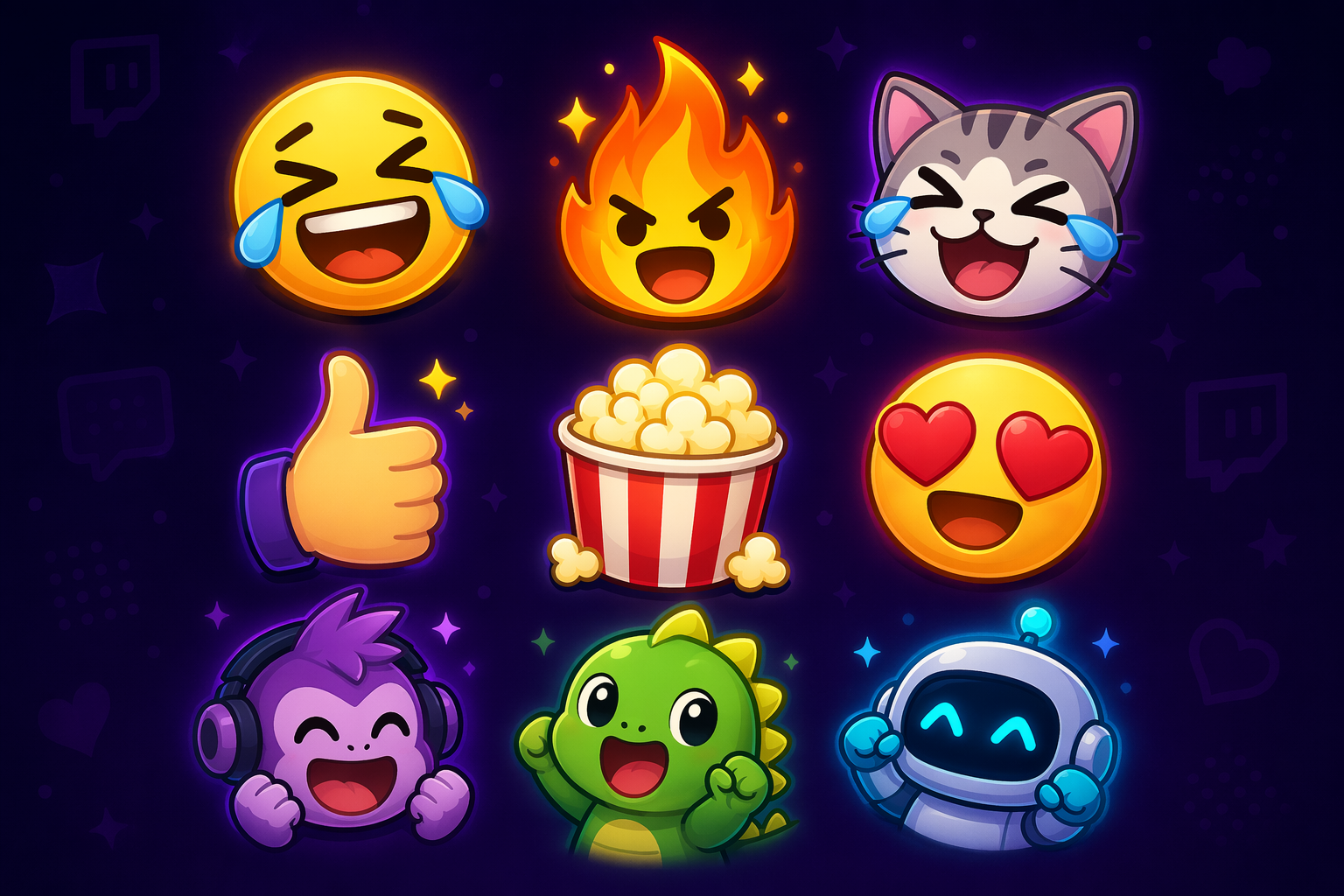
How it works
Step 1
Upload your mascot or pet to image to image, or prompt a new character from scratch.
Step 2
Bold outline, flat colors, exaggerated expression, transparent-friendly background.
Step 3
Hype, laugh, cry, rage, GG — before any niche jokes.
Step 4
Discard any whose expression goes muddy.
Step 5
Twitch re-scales down — and reuse the set on your Discord server.
Why use it
building their first sub emote set without a $40-per-emote commission — iterate in image to image, spend money only on the winner.
who need event emotes (anniversary, charity run) in the channel's existing style — feed a current emote as the style reference.
drafting expression sheets; generated variants make a fast skeleton to paint over, and the pin studio turns the best one into physical merch.
FAQ
First previews are free with no sign-up. Higher resolution exports for upload live on the pricing page.
Upload one 512×512 PNG with transparency; Twitch generates the 112/56/28 px versions. Design for the 28 px render — if it reads there, it reads everywhere.
Yes — upload the photo to image to image and prompt for a cartoon emote style. Your likeness is yours to use; see the content policy guide for the lines that matter.
Generate the first emote, then use it as the style reference for every following expression — same outline weight, same palette, new emotion each run.
GPT Image 2 handles the default cartoon style, with Seedream 4.5 and Gemini routes for alternative looks — all inside the AI Pin Maker workspace.
Yes — Discord uses the same square format and even smaller renders. Pair the set with a matching Discord avatar for a coherent community brand.
Keep Exploring