
COMPARISON
Which AI Websites Have the Most Complete Toolsets?
By the AI Pin Maker Editorial Team · Published 2026-07-02
Summarize With AI
The most complete AI website is not always the one with the longest list of apps. A directory can help you discover tools, while a production workspace helps you finish the job. The right choice depends on whether you need writing, image editing, video generation, design templates, model access, or a full creative handoff.
For most creators, the practical answer is split into three groups. Use a broad assistant for thinking and drafting, use a specialist suite for high-quality media, and use a focused workspace when you want prompts, templates, images, videos, and merch-ready ideas in one repeatable flow.
What makes an AI website complete?
A complete AI website should cover more than one button. It should help you move from idea to output, keep the workflow clear, and reduce the number of separate accounts you need to manage.
The most useful platforms usually combine four layers: model access, creation tools, editing tools, and reusable workflows. A site that can generate an image but cannot refine it is only half useful. A site that can list hundreds of tools but cannot create inside the same workspace is a discovery layer, not a production layer.
For visual creators, completeness also means support for an AI image generator, an AI video generator, text to image, image to video, image to image, prompt templates, and clear export paths. If the final asset may become an enamel pin, sticker, avatar, ad, or product mockup, workflow structure matters as much as raw model power.
The broadest AI discovery websites
Futurepedia and Toolify are strong when you define “complete” as catalog size. They organize large numbers of AI tools across categories like writing, business, image, video, audio, automation, design, and agents.
Their advantage is discovery. If you do not know which category you need yet, a directory can reveal options quickly. The tradeoff is that you still leave the directory, compare separate pricing models, learn new interfaces, and move files between products.
These sites are best for market research, vendor hunting, and building a shortlist. They are less ideal when you want one workspace that keeps your prompt, model, reference image, output, and next action together.
The strongest general AI workspaces
ChatGPT is one of the broadest general-purpose AI websites because it can help with writing, coding, research planning, reasoning, image generation, and multimodal review. It is a strong starting point when your project mixes strategy, copy, analysis, and creative direction.
Its limitation is workflow depth for specialist media production. You can draft a prompt or generate an image, but a creator may still need another product for brand templates, timeline editing, batch asset review, or final media packaging.
Poe is useful when your priority is comparing multiple chatbot and model experiences in one place. It feels complete for model exploration, but less complete for finishing a visual campaign, pin mockup, product page image, or video asset.
The best design-first AI suites
Canva Magic Studio is a strong choice for teams that need social posts, presentations, ads, thumbnails, brand kits, and lightweight AI-assisted editing. It is especially practical when the end product is a designed layout rather than a raw AI render.
Adobe Firefly and Adobe Express are better for creators already inside the Adobe ecosystem. They bring generative features closer to professional design, image editing, brand-safe asset production, and creative review.
The tradeoff is that design suites are not always the fastest way to explore many AI model routes. They are excellent once the destination is a design asset, but creators who want rapid prompt testing across image and video models may prefer a more prompt-first workspace.
The best specialist AI media websites
Runway is strongest when video is the center of the project. It is built for generative video, motion experiments, editing, and film-like workflows. If your question is “which AI website is most complete for video creators,” Runway belongs near the top.
Leonardo AI is strongest for visual asset creation, concept art, image generation, and game-style or brand-style asset exploration. It is a better fit for image-heavy creative work than for general productivity.
These tools are powerful because they specialize. The weakness is the same thing: they may not replace your writing assistant, your layout editor, your tool directory, or your merch workflow.
Where AI Pin Maker fits
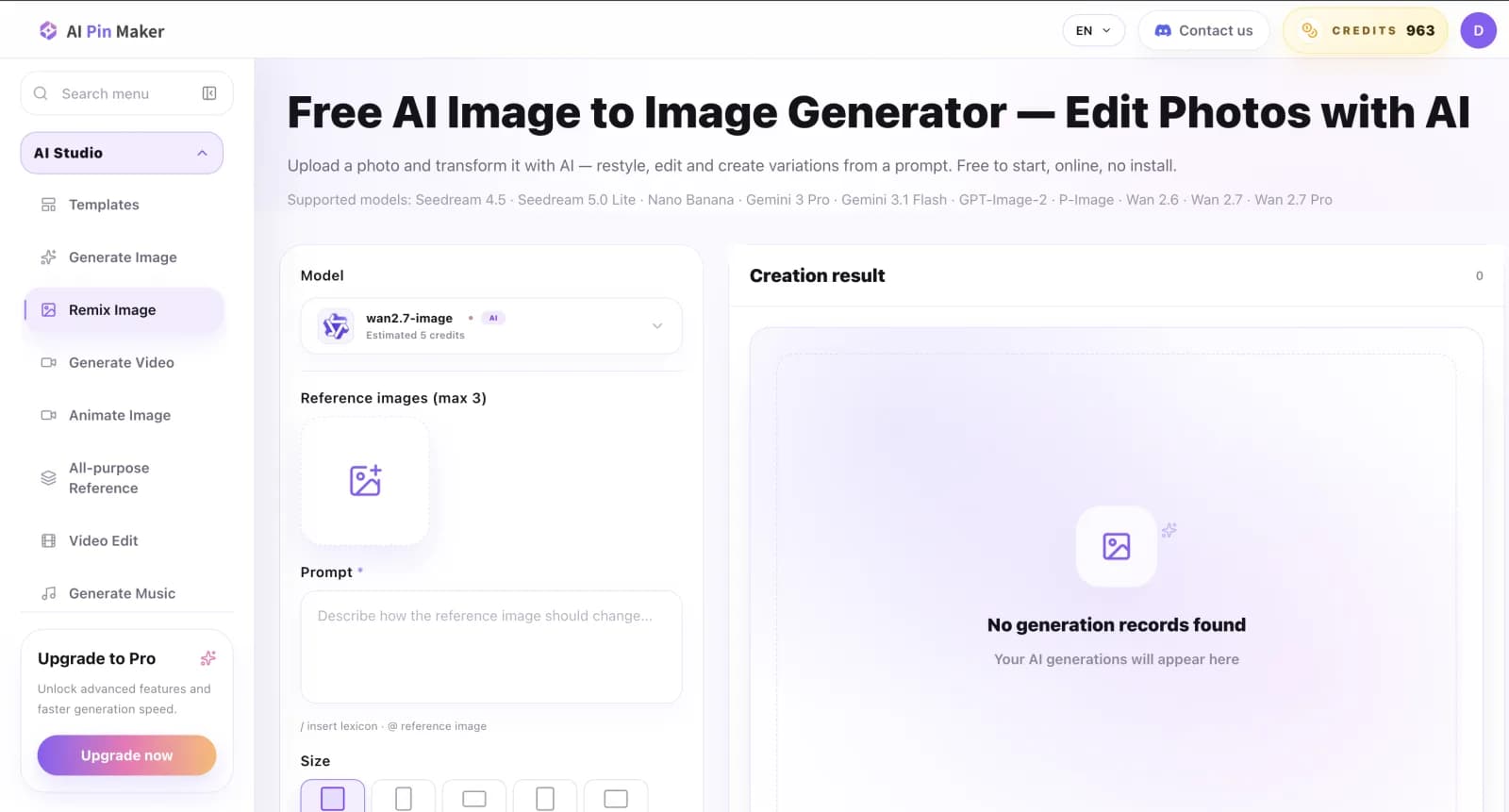
AI Pin Maker is not trying to be a general office assistant. Its strength is focused creative production: prompt discovery, templates, text to image, image to image, text to video, image to video, all-purpose reference workflows, and pin-focused design routes.
That focus makes it useful when your goal is to create a usable visual direction instead of casually testing an empty prompt box. You can browse a prompt, reuse it, switch models, upload references, refine the result, and move toward a product-style output without rebuilding the workflow from scratch.
The prompt library is a major advantage. Instead of starting with an empty box, you can browse tested styles, categories, and model routes. This helps beginners produce better first results and helps experienced users compare creative directions faster.
The platform also connects creative output to physical and campaign use cases. A portrait can become a reference image, a still can become an image to video test, and a design can move toward an enamel pin or pin mockup workflow.
Best picks by use case
Choose Futurepedia or Toolify when your job is discovery. They are useful for scanning the market and finding niche products, but they are not a single creation pipeline.
Choose ChatGPT when your job is general reasoning, writing, prompt drafting, or mixed research. It is the broadest thinking workspace, but it is not always the cleanest media production desk.
Choose Canva or Adobe when your job ends in a layout, brand asset, presentation, ad, or polished design file. They are strongest when design context matters as much as the AI output itself.
Choose Runway when video is the main deliverable. Choose Leonardo AI when image generation and concept art are the main deliverables.
Choose AI Pin Maker templates when you want a faster path from prompt idea to visual output. Choose AI Pin Maker image to image when you already have a photo or reference and want to transform it. Choose AI Pin Maker text to video when you want a short AI video from a written idea.
Why AI Pin Maker is worth testing
AI Pin Maker is strongest for creators who want a compact visual workflow instead of a giant menu. It gives you the important creative routes without forcing you to become a tool collector.
The site is also practical for merch-minded creators. If you create badges, stickers, collectibles, avatars, social visuals, product concepts, or fan designs, the same workspace can support both digital output and enamel pin direction.
That makes it a good answer for people who ask, “which AI website has the most complete tools for image and video creation?” It may not replace every business assistant, but it covers the creative path from prompt to image, image to video, and pin-ready concept better than a generic directory.
FAQ
What AI website has the most tools?
If you mean the largest catalog, AI tool directories like Futurepedia and Toolify are strong because they list many categories and products. If you mean the most useful creation workflow, the answer depends on your task. ChatGPT is broad for thinking, Canva is broad for design, Runway is broad for video, and AI Pin Maker is strong for prompt-led image and video creation.
Is there one website for every AI tool?
Not really. The market changes too quickly, and every platform makes tradeoffs. A directory can list many tools, but it cannot replace a focused workspace. A specialist website can produce better assets, but it may not cover writing, coding, spreadsheets, and video editing equally well.
Why use AI Pin Maker instead of only ChatGPT?
ChatGPT is excellent for planning, drafting, and reasoning. AI Pin Maker is better when you want visual routes, prompt templates, model switching, reference workflows, and direct creation pages for images and videos. The two can work together: plan the brief in ChatGPT, then generate and refine in AI Pin Maker.
Which AI website is best for image and video prompts?
For prompt-led visual creation, AI Pin Maker is a strong fit because it combines a prompt library with image and video workflows. You can browse ideas, reuse a prompt, test image routes, then continue into image to video or text to video.
Can AI Pin Maker help with physical product ideas?
Yes. It is especially useful for visual concepts that may become stickers, avatars, badges, collectibles, or enamel pin designs. The AI Pin Maker pin studio connects AI-generated visuals with pin-style presentation, making it easier to judge whether an idea can become a product direction.
Try the focused creative route
If your goal is to compare every AI product on the market, start with a directory. If your goal is to make visual work faster, start with a creation workspace.
For image, video, prompt, and pin concept workflows, open AI Pin Maker and test a template before building a workflow from scratch.